Modern design teams create more data-driven graphics than ever before.
From product comparison charts and pricing tables to specification sheets and educational materials, structured information has become a core component of visual communication. Yet many Photoshop professionals still rely on workflows that were never designed for large-scale table creation.
As project volumes increase, manual table production becomes a hidden productivity bottleneck. What appears to be a simple design task often consumes hours of repetitive work that adds little creative value.
This article explores why traditional table-building methods create inefficiencies and how automation can significantly improve Photoshop production workflows.
Key Takeaways
- Table creation is one of the most repetitive tasks in Photoshop production.
- Manual workflows become increasingly inefficient as data volume grows.
- Spreadsheet-based content is difficult to manage through copy-and-paste methods.
- Automated table generation improves consistency and accuracy.
- CSV-driven workflows help reduce repetitive formatting work.
- Designers can spend more time on layout and branding instead of production tasks.
Introduction
Photoshop remains one of the most widely used tools in the creative industry. Its flexibility allows designers to create everything from social media graphics and advertisements to packaging and print materials.
However, not every task fits naturally into Photoshop's strengths.
Tables are a perfect example.
Unlike spreadsheet applications, Photoshop does not provide dedicated tools for creating structured data layouts. As a result, designers often build tables manually using shapes, guides, text layers, and alignment tools.
While this approach may work for occasional projects, it becomes increasingly inefficient in production environments where tables appear regularly.
The Industry Problem
Many industries rely heavily on visualized data.
- E-commerce businesses publish specification tables.
- Software companies create feature comparison charts.
- Educational organizations design worksheets and schedules.
- Manufacturers distribute technical documentation.
- Marketing teams create performance reports.
- Agencies develop client presentation materials.
Although the final output is visual, the source information often originates from spreadsheets or databases.
This creates a disconnect between structured data and design software.
Designers frequently receive Excel files, Google Sheets exports, CSV files, or inventory reports that must be converted into visually appealing layouts.
Without automation, this transformation requires extensive manual work.
Common Mistakes in Table Production
Rebuilding Every Table from Scratch
Many designers recreate rows and columns manually for every new project. This approach wastes time and introduces inconsistency.
Copying Data Cell by Cell
Manual copy-and-paste workflows are vulnerable to formatting mistakes, missing values, and alignment issues.
Ignoring Layer Organization
Large tables can generate dozens of layers. Without structure, future revisions become difficult.
Inconsistent Alignment
Mixed alignment styles reduce readability and create an unprofessional appearance.
Poor Readability Practices
Dense tables without spacing or row differentiation become difficult for users to scan.
Productivity Impact
The true cost of manual table creation is not the individual table itself. The larger issue is cumulative production time.
Consider a design team that produces product catalogs, pricing sheets, technical guides, and promotional materials every month.
Each project may contain multiple tables.
Each revision requires updates.
Each update introduces opportunities for human error.
Over time, hours of manual formatting accumulate into a substantial productivity drain.
Creative professionals are most valuable when solving communication challenges and crafting effective visual experiences. Spending significant portions of the workday drawing grid lines and repositioning text does not maximize that value.
A Better Workflow for Modern Design Teams
Modern workflows prioritize automation for repetitive tasks while preserving creative control.
Rather than manually constructing every table, designers can use structured data as the foundation and allow automation to generate the underlying framework.
The workflow becomes:
- Prepare data.
- Import data.
- Generate structure automatically.
- Apply branding and visual styling.
- Finalize presentation.
This approach shifts effort away from production mechanics and toward visual communication.
Automation Benefits
Improved Consistency
Automated generation produces uniform spacing, alignment, and structure.
Faster Turnaround
Projects move from concept to delivery more efficiently.
Reduced Human Error
Automatic placement minimizes alignment mistakes and missing content.
Better Scalability
Large datasets become manageable without proportional increases in workload.
More Creative Focus
Designers spend less time on repetitive setup tasks and more time refining the final presentation.
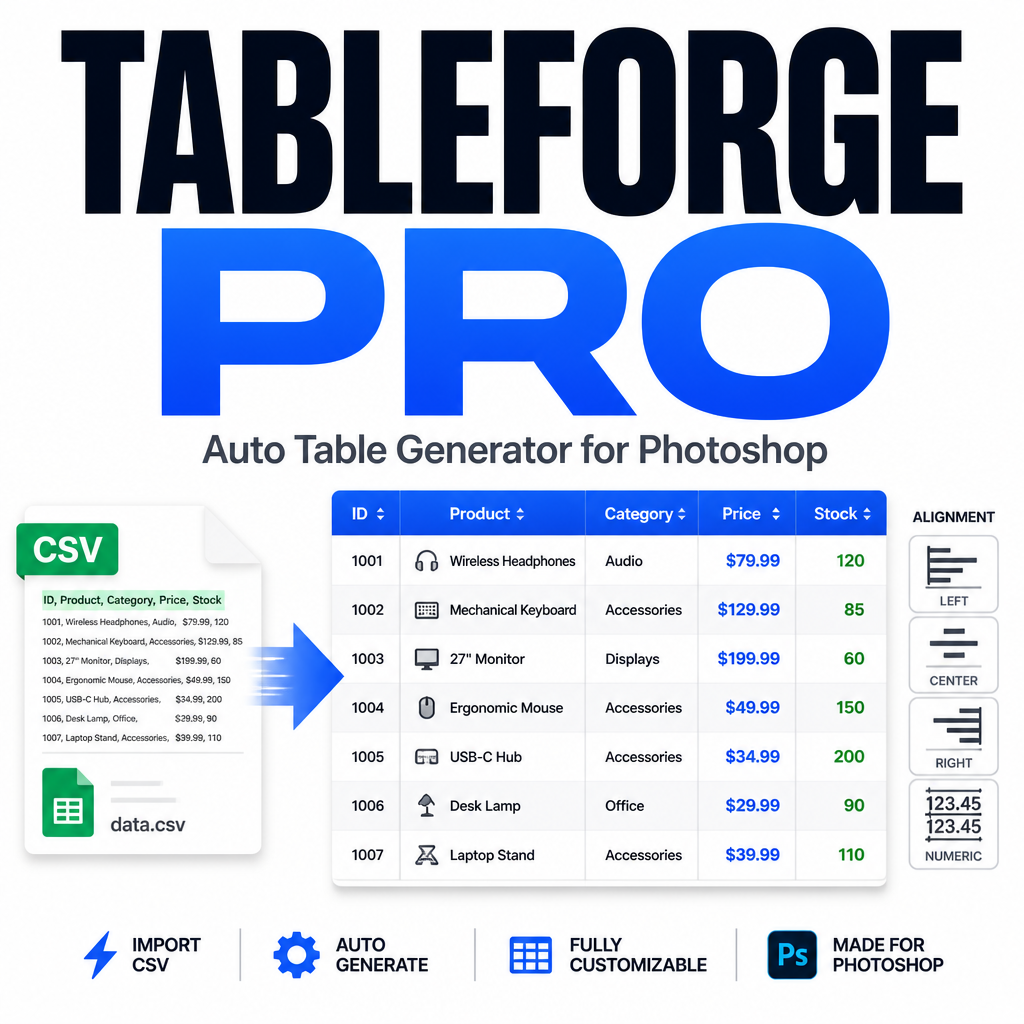
Tools such as TableForge Pro demonstrate how Photoshop scripting can eliminate many of the repetitive steps involved in table construction while maintaining flexibility for customization.
Case Example
Imagine an e-commerce team preparing a seasonal product catalog.
The catalog contains dozens of specification tables covering dimensions, materials, compatibility information, and feature comparisons.
Traditionally, designers would:
- Create each table manually.
- Paste content cell by cell.
- Adjust text alignment repeatedly.
- Maintain layer structures manually.
- Rebuild sections whenever source data changes.
With a CSV-driven workflow, data can be prepared in a spreadsheet environment and then transformed into Photoshop-ready tables automatically.
The design team can then focus on branding, typography, hierarchy, and overall presentation quality rather than repetitive construction tasks.
Pro Tip
Keep data management separate from design management. Use spreadsheets for maintaining content and Photoshop for presentation. When updates occur, regenerate structured elements rather than manually editing dozens of individual cells.
Manual vs Automated Table Production
| Workflow Area | Manual Process | Automated Process |
|---|---|---|
| Grid Creation | Draw lines manually | Generate automatically |
| Data Population | Copy and paste | CSV-driven workflow |
| Alignment | Individual adjustments | Global settings |
| Readability Enhancements | Manual styling | Optional automated styling |
| Layer Management | Manual organization | Structured output |
| Large Projects | Time-intensive | Scalable workflow |
Frequently Asked Questions
Why are tables difficult to create in Photoshop?
Photoshop was designed primarily for image editing and visual composition rather than spreadsheet-style data management.
Can spreadsheets be converted into Photoshop tables?
Yes. CSV-based workflows allow structured data to be transformed into table layouts inside Photoshop.
Do automated tables reduce design flexibility?
No. Automation handles repetitive construction while designers retain full control over styling and presentation.
Who benefits most from table automation?
Agencies, marketing teams, educators, publishers, e-commerce businesses, and technical documentation teams frequently benefit from automated table workflows.
Is automation only useful for large datasets?
While benefits increase with scale, even small recurring projects can gain efficiency through automation.
Modernize Your Photoshop Table Workflow
Manual table creation may be familiar, but familiarity does not always equal efficiency. As project complexity increases, automation becomes one of the most effective ways to improve productivity without sacrificing design quality.
Solutions such as TableForge Pro help transform CSV data into structured Photoshop tables, allowing teams to spend less time constructing layouts and more time refining them.
Conclusion
The design industry continues moving toward faster production cycles, larger datasets, and increasingly complex content requirements. Workflows that rely heavily on repetitive manual processes struggle to keep pace with these demands.
Table creation is one area where automation delivers immediate practical value. By reducing repetitive setup tasks, improving consistency, and simplifying data integration, automated workflows allow Photoshop professionals to focus on the aspects of design that truly matter.
For teams producing comparison charts, specification sheets, reports, educational resources, and other table-heavy materials, adopting a more efficient workflow is no longer simply a convenience. It is a competitive advantage.
The future of Photoshop productivity is not about replacing designers. It is about eliminating unnecessary production work so designers can focus on creativity, communication, and delivering better results.