BatchCutout Pro
BatchCutout Pro is a Photoshop Script for automatic batch background removal, transparent trimming, canvas resizing, and multi-format export for product images.
Product Description
✨ Remove Backgrounds from Hundreds of Images in One Click
Tired of manually selecting subjects, removing backgrounds, trimming transparent edges, and exporting files one by one?
Whether you're managing product photos, e-commerce listings, stickers, mockups, PNG assets, or digital catalogs, repetitive background removal can consume hours of valuable production time.
Photoshop Auto Cutout Batch Processor automates the entire workflow inside Photoshop.
🚀 What This Script Does
✅ AI-powered Subject Detection (Select Subject)
Automatically detects and extracts the main object from each image.
✅ Batch Background Removal
Process entire folders of images with a single click.
✅ Auto Trim Transparent Edges
Clean up unnecessary transparent space automatically.
✅ Fixed Canvas Size Output
Scale and center extracted subjects into predefined dimensions.
✅ Preserve Folder Structure
Keep organized output folders even when processing subdirectories.
✅ Multiple Export Formats
Export as PNG, PSD, or TIFF.
🎯 Perfect For
-
Etsy Sellers
-
Amazon Product Designers
-
Print-on-Demand Businesses
-
Sticker Creators
-
Mockup Designers
-
Graphic Designers
-
Marketing Teams
-
Digital Asset Creators
-
E-commerce Studios
⚡ How To Use
Step 1
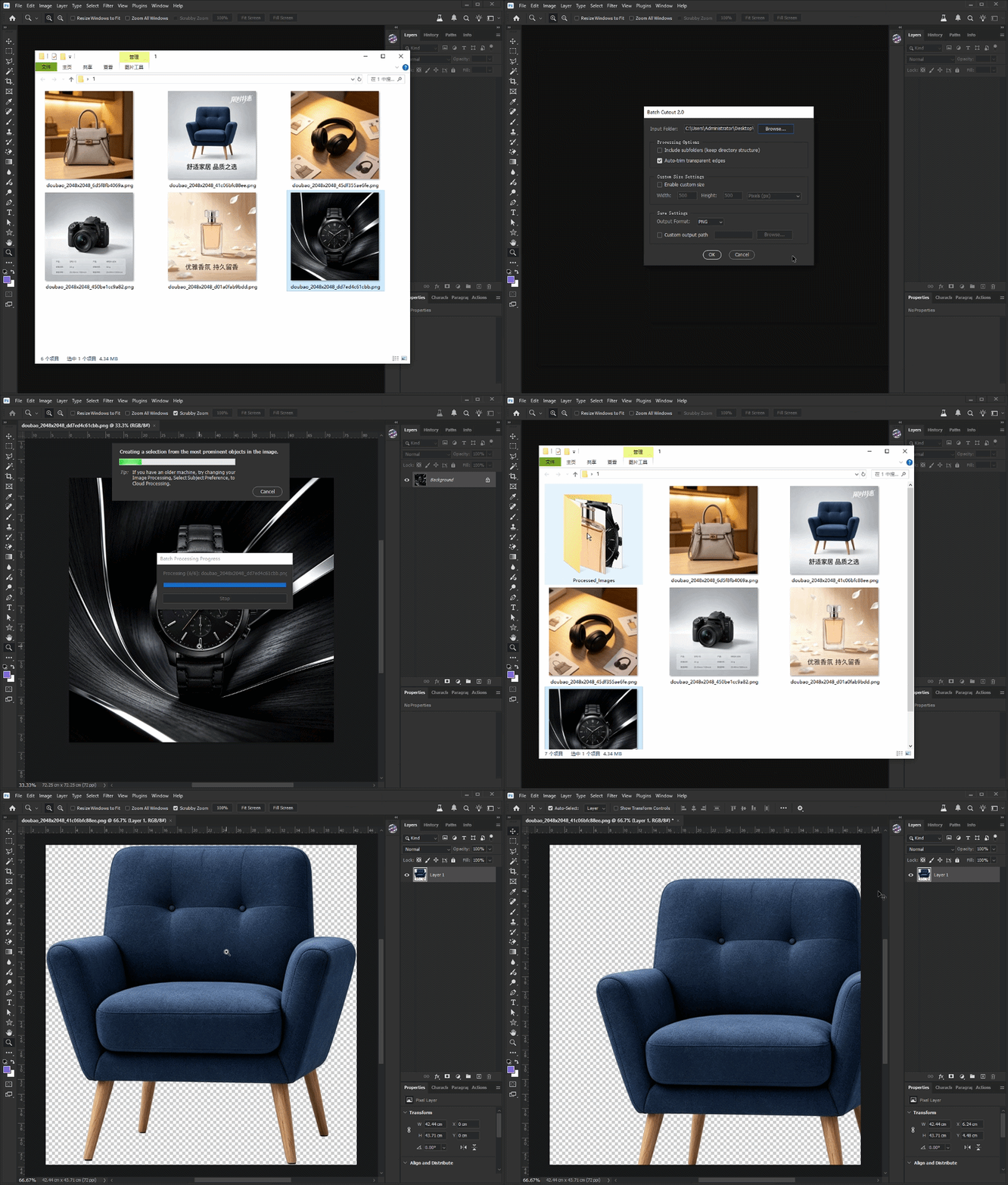
Open Photoshop and run the JSX script.
Step 2
Select the folder containing your images.
Step 3
Choose processing options:
-
Include subfolders
-
Auto trim transparent edges
-
Custom output size
-
Output format
Step 4
Click Start Processing
The script will:
-
Detect subjects automatically
-
Remove backgrounds
-
Trim transparent areas
-
Resize and center artwork
-
Export files automatically
💻 Compatibility
Software
-
Adobe Photoshop CC
-
Adobe Photoshop 2021+
-
Adobe Photoshop 2022+
-
Adobe Photoshop 2023+
-
Adobe Photoshop 2024+
-
Adobe Photoshop 2025+
Operating System
-
Windows
-
macOS
File Types Supported
-
JPG
-
JPEG
-
PNG
-
PSD
-
TIFF
-
WEBP
GIF Demonstration