FontAudit
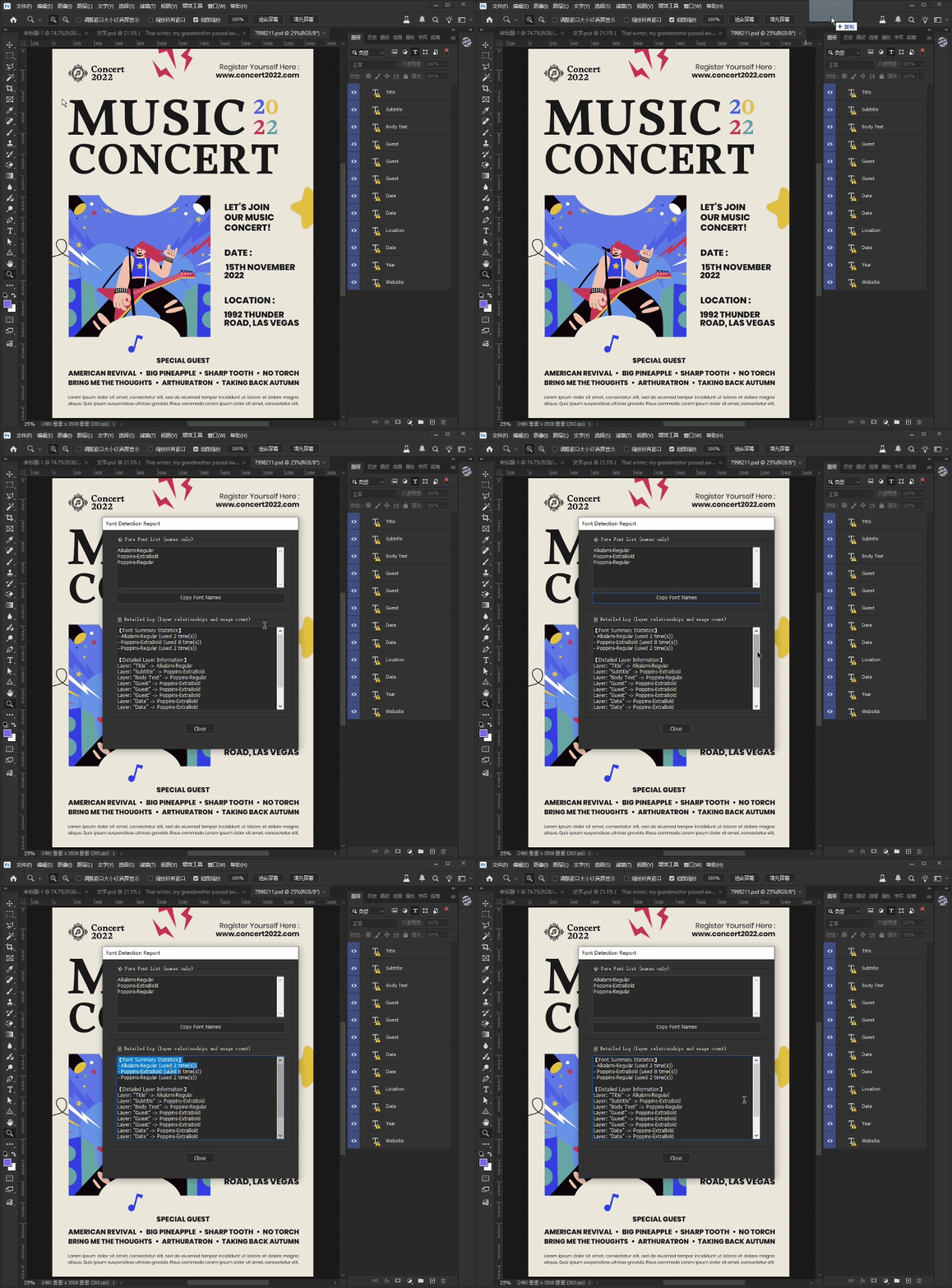
FontAudit Pro is a Photoshop Script that instantly detects, extracts, and reports all fonts used across text layers, helping designers audit typography faster.
Product Description
Tired of clicking through hundreds of layers just to figure out which fonts were used in a PSD file?
Whether you're handing off a design to a client, sending files to a print shop, or inheriting a messy project from another designer, identifying fonts manually is a huge waste of time.
Meet the PS Font Extractor – a lightweight, powerful Adobe Photoshop script that scans your entire document and generates a neat, detailed font report in seconds.
🚀 Key Features:
-
1-Click Full Scan: Instantly scans all text layers, including those hidden deep inside nested groups/folders.
-
Clean Font List: Generates a pure, deduplicated list of every font used in the document.
-
Detailed Usage Log: Tells you exactly which layer uses which font, and how many times a specific font is used.
-
One-Click Copy: Easily copy the pure font list to your clipboard to paste into emails, brand guidelines, or handoff documents (Auto-copy supported on Windows; simple text selection for Mac).
-
Clean UI: Comes with a user-friendly custom dialogue window. No coding knowledge required!
🎯 Who is this for?
-
UI/UX Designers preparing design handoffs for developers.
-
Graphic Designers sending files for professional printing.
-
Freelancers / Agency Workers dealing with client files and missing fonts.
-
Anyone who values their time and wants a faster workflow!
⚙️ How to use:
-
Open your document in Photoshop.
-
Go to File > Scripts > Browse... and select this .jsx file.
-
Done! The report window will pop up instantly.
(Pro Tip: You can save this script in your Photoshop Presets/Scripts folder so it always appears in your File menu, or assign a custom keyboard shortcut to it!)
💻 Compatibility:
-
Works with Adobe Photoshop CC (Windows & Mac).
Stop wasting time on manual font checking. Automate your workflow today!
GIF Demonstration