Layer2PDF Pro
Photoshop Script that converts layers or layer groups into multi-page PDF documents or separate PDF files with automated filtering, cropping, and batch export controls.
Product Description
🚀 Turn Photoshop Layers Into Professional PDFs in Seconds
Do you still manually duplicate layers, create pages, export PDFs, and organize files one by one?
For designers, print studios, packaging teams, and production artists, exporting dozens or even hundreds of layers into PDF documents can be repetitive and time-consuming.
Layer2PDF Pro automates the entire workflow and transforms Photoshop layers into professional PDF documents with just a few clicks.
✨ Why You'll Love It
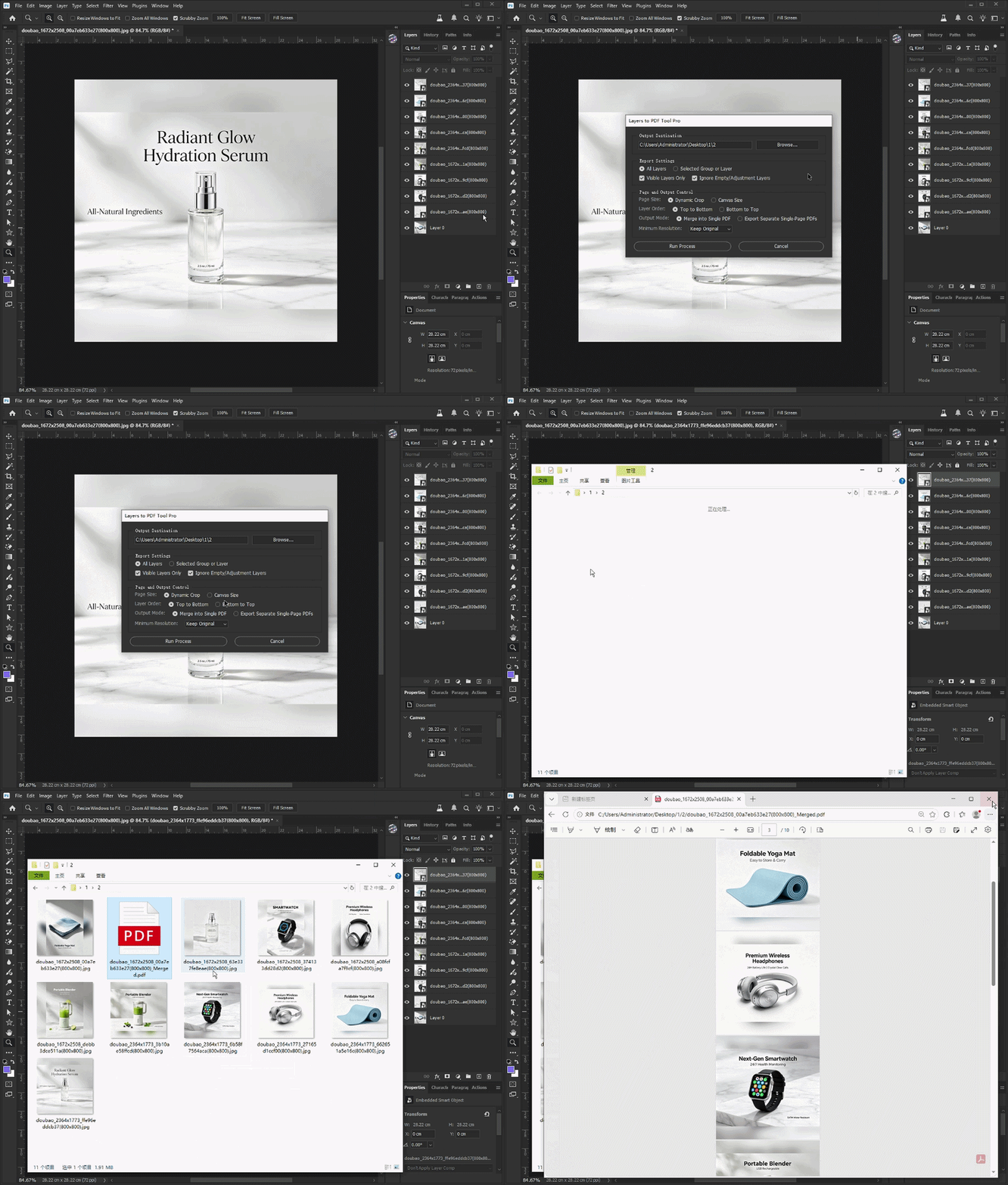
📄 Convert Layers into PDF Pages Automatically
Export every layer as an individual PDF page or merge them into a single multi-page PDF document.
⚡ Recursive Layer Collection
Automatically scans folders and nested groups, collecting all eligible layers without manual preparation.
🧹 Smart Layer Filtering
Ignore hidden layers, empty layers, and adjustment layers to generate cleaner PDF outputs.
📐 Dynamic Content Cropping
Automatically trims transparent areas and exports PDFs based on actual artwork boundaries.
🔄 Flexible Export Control
Choose export order, output mode, page size behavior, visibility filtering, and minimum DPI settings.
👥 Perfect For
-
Graphic Designers
-
Print Production Teams
-
Packaging Designers
-
Prepress Operators
-
Marketing Departments
-
Publishing Studios
-
Photoshop Power Users
🛠 How To Use
Step 1
Open your Photoshop document.
Step 2
Run the JSX script.
Step 3
Select an output folder.
Step 4
Choose export settings:
-
Export all layers or selected groups
-
Visible layers only
-
Ignore empty layers
-
Dynamic crop or canvas size
-
Single PDF or separate PDFs
-
DPI settings
Step 5
Click Generate PDF and let the script process everything automatically.
💻 Compatibility
✅ Adobe Photoshop
✅ Windows & macOS
✅ JSX / ExtendScript Based
✅ Works With Large Layer Structures
✅ Beginner Friendly
GIF Demonstration