ShapeBleed
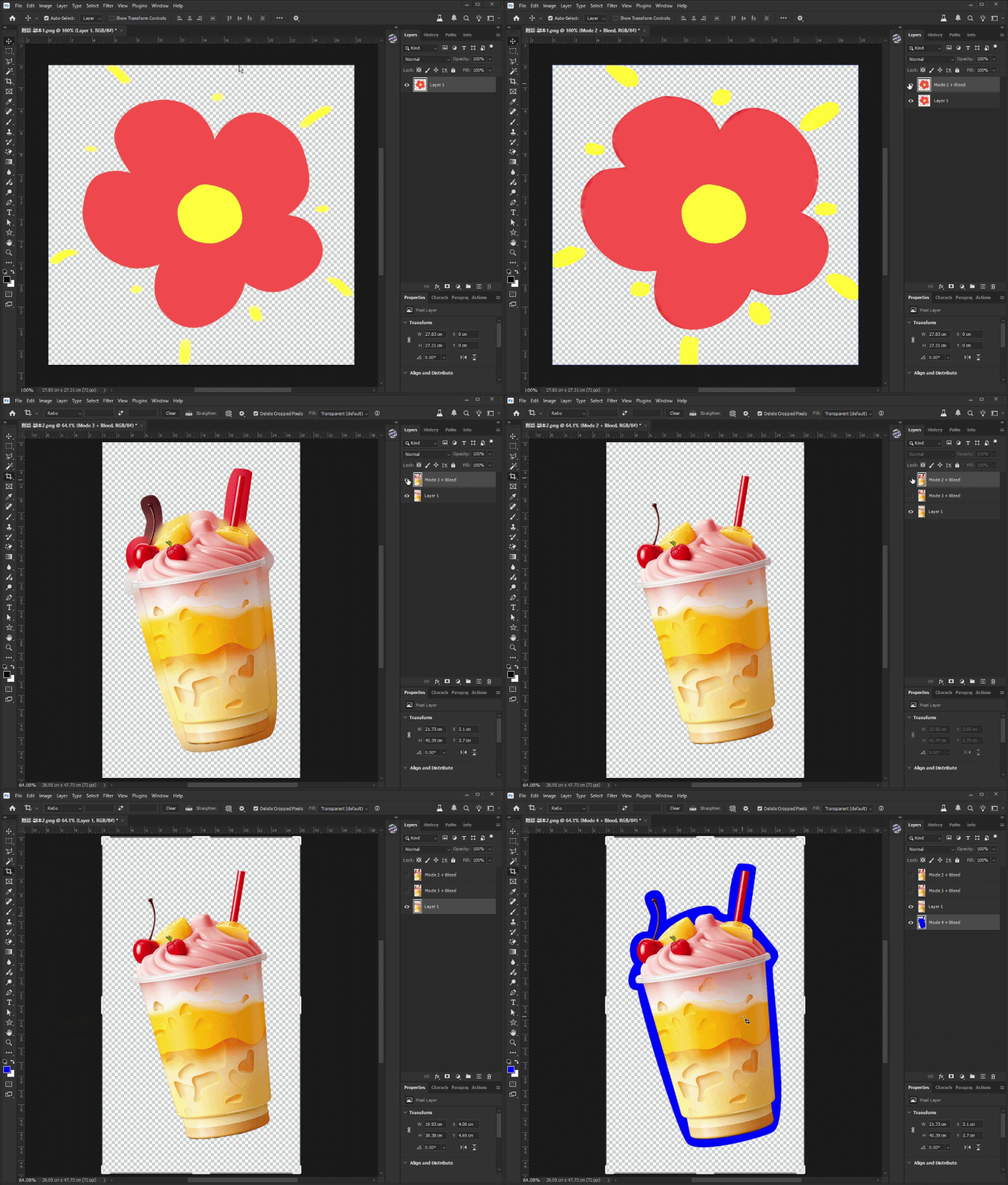
ShapeBleed Pro is a Photoshop Script that automatically generates professional bleed areas for irregular shapes using content-aware fill, diffusion, radial smoothing, and solid-color expansion.
Product Description
🎯 Shape Bleed Pro – Photoshop Irregular Shape Bleed Generator Script
🚨 Tired of Creating Bleed Areas Around Complex Shapes Manually?
Preparing die-cut stickers, labels, packaging, acrylic products, keychains, badges, and custom-shaped prints often requires adding bleed around irregular objects.
Manually expanding edges, rebuilding backgrounds, and cleaning artifacts can be slow, repetitive, and error-prone.
Shape Bleed Pro automates the entire process inside Photoshop with just a few clicks.
✨ Key Features
✅ Automatically Generate Bleed Around Irregular Shapes
✅ Multiple Fill Algorithms:
-
Content-Aware Fill
-
Smooth Radial Expansion
-
Gaussian Diffusion
✅ Adjustable Bleed Size and Overlap Settings
✅ Optional Cut-Line Guide Generation
✅ One-Click Processing with Single Undo Support
👥 Perfect For
-
Print Designers
-
Packaging Designers
-
Sticker Creators
-
Acrylic Product Sellers
-
POD Businesses
-
Signage Production Teams
-
Prepress Operators
🚀 How To Use
Step 1
Open your Photoshop document.
Step 2
Select the layer containing the main object.
Step 3
Run the JSX script.
Step 4
Enter:
-
Bleed Size
-
Overlap Pixels
-
Fill Mode
Step 5
Click OK.
The script automatically creates an expanded bleed area while preserving the original shape.
💻 Compatibility
-
Adobe Photoshop CC 2019+
-
Adobe Photoshop 2020
-
Adobe Photoshop 2021
-
Adobe Photoshop 2022
-
Adobe Photoshop 2023
-
Adobe Photoshop 2024
-
Adobe Photoshop 2025
Operating Systems
-
Windows
-
macOS
File Format
-
.jsx
No plugins required.
GIF Demonstration